
Divyansh Bhutra
MULTI-DISCIPLINARY PROJECT BLOG
December, 2022
An Exploration in Pathfinding Algorithms and Embedded Programming
Introduction
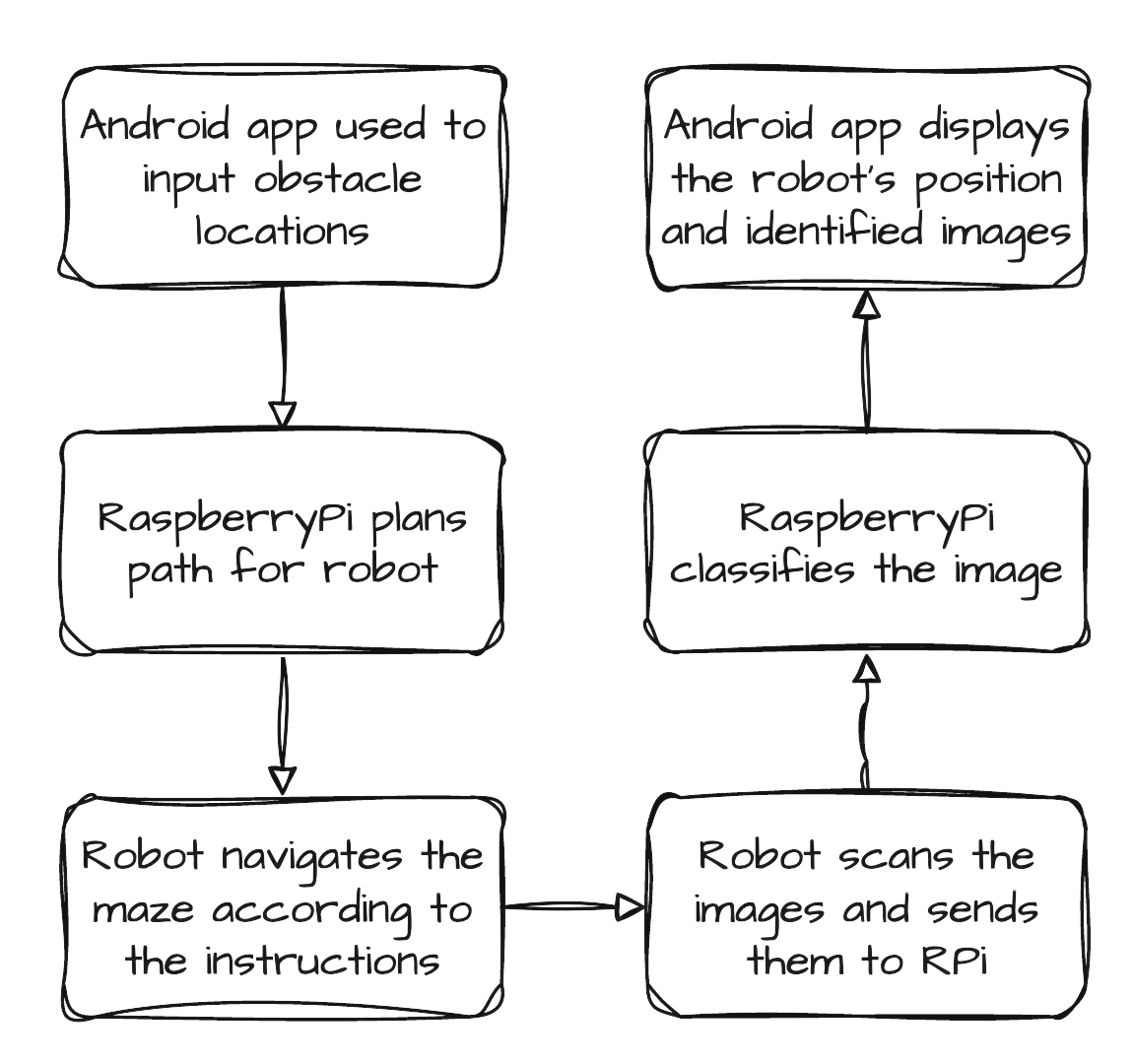
In the second semester of 2022, I took NTU SCSE’s most infamous course – the Multi-Disciplinary Project. If you don’t know what this course is, it’s a fierce competition between 50 teams of 8 to get their robot a spot on the leaderboard, being judged on accuracy and speed of movement while avoiding obstacles; as well as scanning and accurately classifying images placed on the obstacles using computer vision techniques. Whew – it’s a lot of work that tests your ability to work as a team and encompasses various techniques of computer science and leaves a lot of room to show your creative thinking and problem-solving skills. Read on below to see the various innovative ideas that I applied in this competition.
Problem Statement
So what exactly does the competition entail and what tools are we given to tackle the problem? Well there are actually 2 competitions with 2 leaderboards. We are given a robot with wheels, motors and a servo motor for turning; but it’s up to us to place the various sensors, camera and any other peripherals. Oh, and we have to write all the code to control the motors and program an android app to communicate and control the robot and set up communications between the RaspberryPi and STMicroelectronics controller board.
Competition 1: Image Recognition and Obstacle Avoidance Task
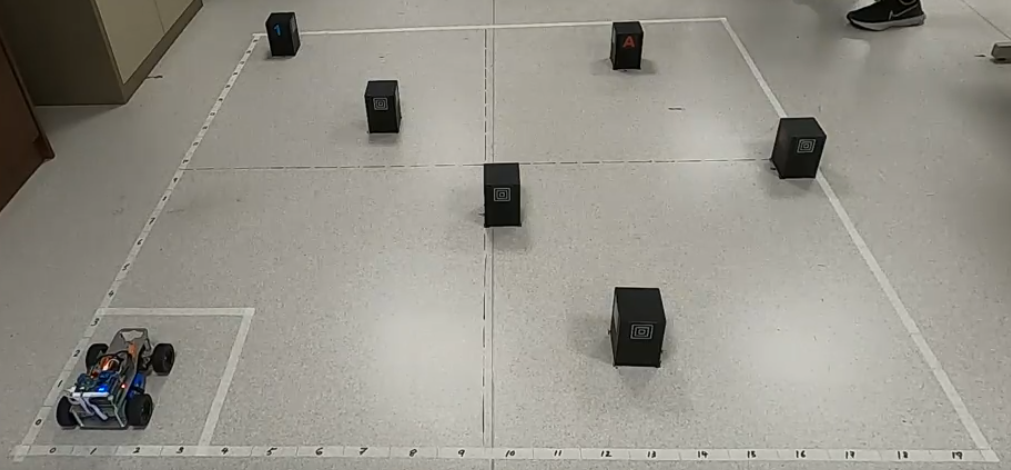
In the first task, the robot has to navigate a randomized 2m × 2m arena with 5 obstacles whose positions are given to the robot using the android application. The robot must then be the fastest to navigate to the arena while avoiding the obstacles and scanning the obstacles and reporting back to the android app the symbol on the obstacle.
Competition 2: Speed and Accuracy Task
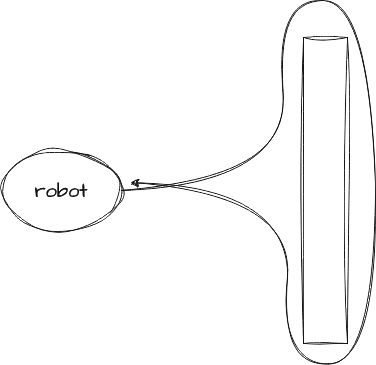
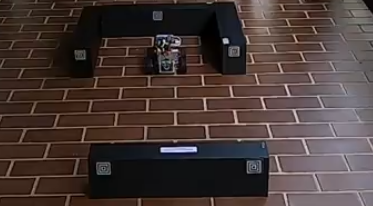
The second task had the robot loop around an obstacle and make it back to its starting location in the fastest time without hitting the obstacle.
Main Ideas
We tackled this project by breaking up the problem into smaller pieces and figuring out how to solve those pieces. I was mainly involved in setting up the peripherals, STM programming and creating the pathfinding algorithm. Below I have written about my thought process in coming up with innovative solutions as a part of this project.
Setting up the Peripherals
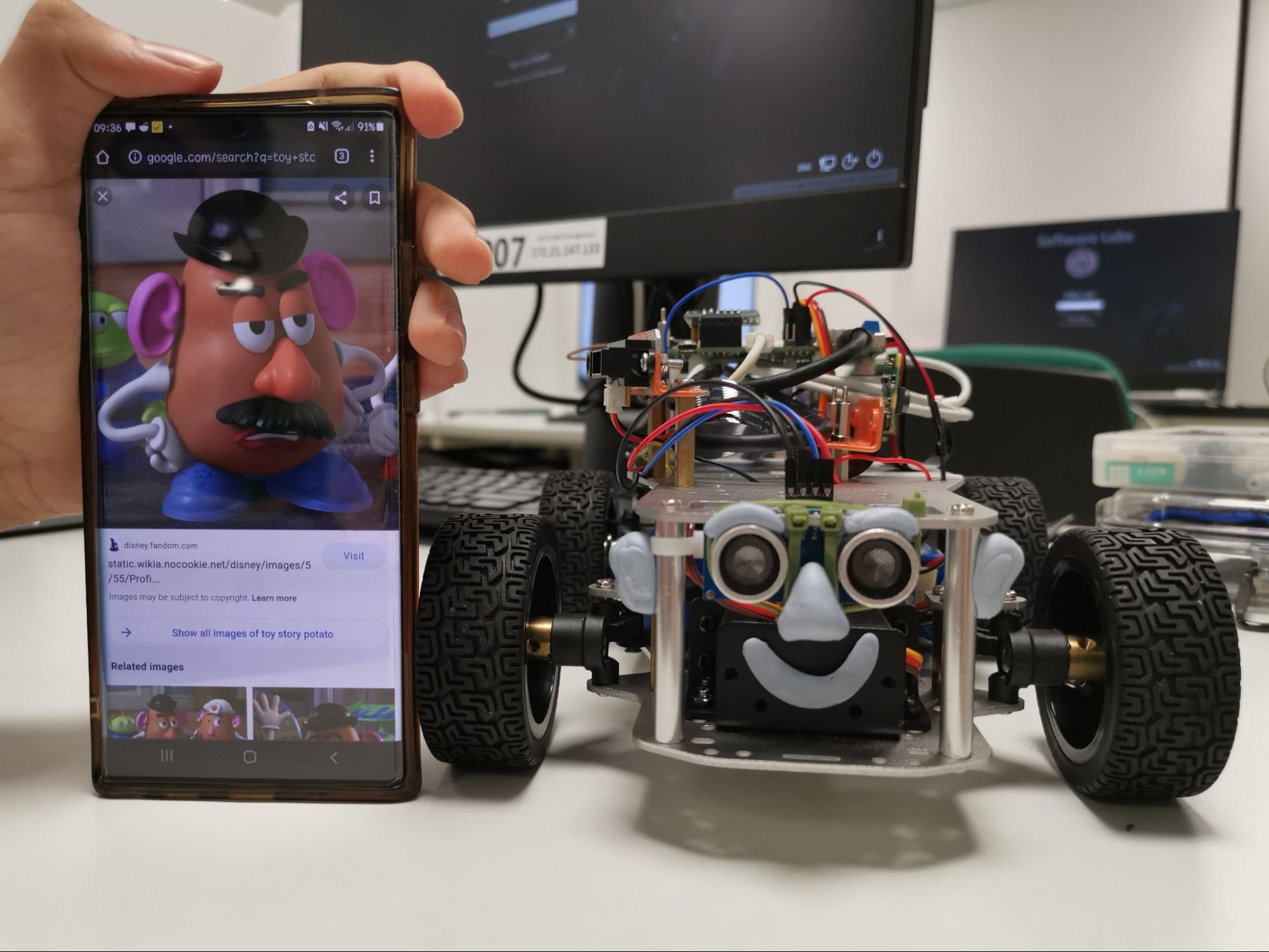
One innovation we came up with was to attach the camera facing the right of the robot. Our idea was that the robot would scan the symbol on the obstacle as its driving past, without having to stop and reverse out.
We also used the IR sensor to enable the robot to detect if it was going to crash, just as a failsafe. Lastly, we wired up the rest of the components (RaspberryPi for communication, some resistors to complete the IR sensor circuit) and gave our robot a memorable face using Blu Tack. If there was a cuteness competition, our team would surely place first!
Microcontroller Programming
The heart of the robot was a STMicroelectronics controller board which we had to write code for in embedded C. We used Pulse-Width Modulation for controlling the motors, and their speed was further maintained by using a PID controller making use of the hall-effect encoders attached to the wheels. We also set up a communication protocol with the RaspberryPi using UART, and a way to troubleshoot the robot using a tiny LCD display that it came with.
We then wrote code to interpret the IR sensor data and programmed the failsafes to prevent the robot from crashing into any obstacles.
After the basics were complete, we wrote functions for a discrete set of movements the robot could take. Things like move forward/backward 10cm; turn right on the spot etc. Using these discrete commands, the robot could be commanded to take a series of movements which would (hopefully) allow the robot to navigate the entire arena successfully.
Pathfinding Algorithm
The other part of the project that I was involved with was programming the pathfinding algorithm. I tackled this by dividing the arena into a 20×20 grid, with each square representing a 10cm×10cm square in real life. Since the robot is bigger than 10cm in both width and length, this is an acceptable level of granularity. Then, I imagined the robot being able to have 4 different orientations in each grid square (North, East, South, West) for a total of 1600 possible states the robot could be in.

The idea was to have each of these states represented by a cell in a graph. The graph’s edges would represent the various discrete movements we programmed for the robot; i.e. if the robot was facing north at square (1, 1), after taking a right turn it would end up at (3, 3) facing east. Then, it was just a matter of removing those edges that would make the robot crash into an obstacle, and then the problem became very easy to solve – we had reduced it to a problem with a known solution; graph search.
A simple application of Dijkstra’s algorithm allowed us to figure out the best way to get from point A to point B while avoiding obstacles; but the problem of figuring which order to visit the different obstacles in wasn’t as simple to solve. It is essentially the famous traveling salesman problem, and since there were going to be a maximum of 6 obstacles, we chose to solve this problem using simple brute-force.
Other Stuff + YouTube Video
The other parts of this project included programming the RaspberryPi for image recognition, creating the android app, making the video documenting the project, etc.
Please watch the video below to find out more! (If the embedding doesn’t work, you should be able to watch it on YouTube)